
RV Cell Signal Booster Guide: How Boosters Work, Setup, and Real Expectations
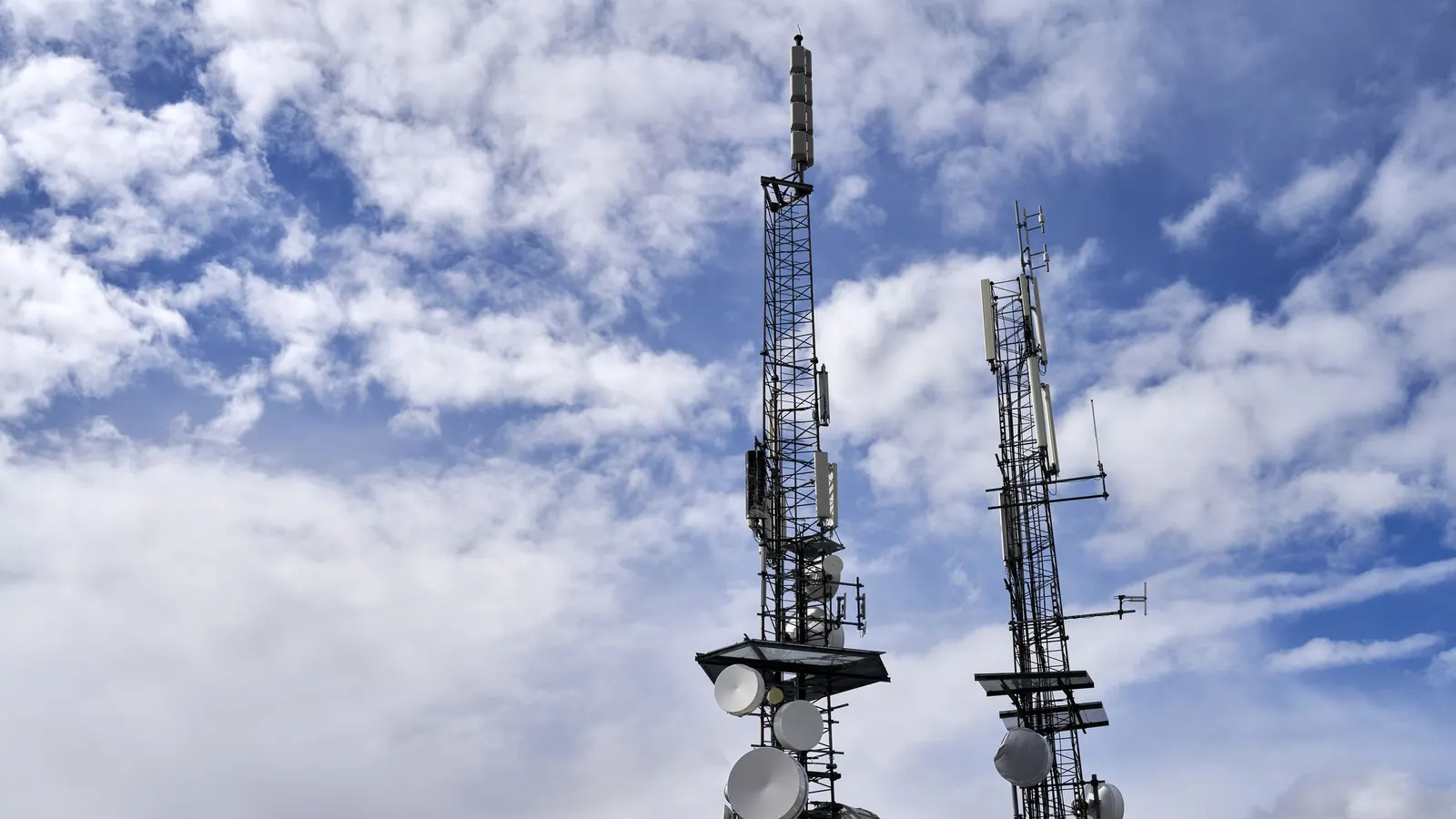
An RV cell signal booster promises better phone calls and faster data at campsites where your phone shows one weak bar. In the right conditions, it delivers. In the wrong ones, it does little. This guide explains how a cell booster for RV use works, what it can and cannot do, how to set it up for the best result, the registration rule every owner should know, and how a booster fits alongside Starlink and hotspots.
Last reviewed and updated: September 30, 2026. Written by Jeremy Jarvis.
Key takeaways
- An RV cell signal booster amplifies weak signal that already reaches you; it cannot create signal where there is none.
- Boosters use an outside antenna, an amplifier and an inside antenna, and antenna placement decides much of the result.
- Consumer boosters must be registered with your wireless carrier, and you should buy an FCC-certified model.
- For remote work, pair a booster with a second connection type, such as satellite, rather than relying on one network.
How an RV cell signal booster works
Every booster system has three main parts. First, an outside antenna, usually mounted on the roof or a mast, captures the cell signal from the nearest tower. Second, an amplifier strengthens that signal. Third, an inside antenna rebroadcasts the stronger signal to your phones, hotspot or router inside the RV. The process also works in reverse: the booster amplifies the signal from your devices back toward the tower, which helps with uploads and call quality.
Because the outside antenna sits higher and outside the metal and fiberglass shell of the RV, it can often pick up signal that your phone inside cannot. As a result, even before amplification, simply moving the antenna outside and up makes a difference.
What an RV cell booster cannot do
This is the most important point for setting expectations. An RV cell signal booster amplifies existing signal; it cannot create signal that is not there. If the outside antenna receives no usable signal at all, the booster has nothing to amplify. Similarly, a booster cannot fix a tower that is overloaded with users, and it cannot speed up a network that is slow for other reasons.
Therefore, a booster is most useful in fringe areas, where you have weak but usable service. In true dead zones, a satellite connection is the better tool; see our guide to Starlink for RV.
Free download: The Full-Time RV Launch Checklist
Our 16-page planner: a 12-month countdown, inspection checklist, budget and weights worksheets and a maintenance calendar. Free and printable.
Types of RV cell boosters
| Type | How it works | Strengths | Trade-offs |
|---|---|---|---|
| In-motion vehicle booster | Low-profile omnidirectional roof antenna, small inside antenna near devices | Works while driving, simple to use | Smaller coverage area inside the RV |
| Stationary RV booster with telescoping mast | Raised antenna used when parked, larger inside coverage | Stronger results at camp | Must be set up and lowered before driving |
| Directional (yagi) antenna system | Antenna aimed at a specific tower | Best reach in very weak areas | Must be aimed at each campsite |
| Omnidirectional antenna system | Antenna receives from all directions | No aiming needed; serves multiple carriers | Less reach than a well-aimed directional antenna |
Many RVers choose a stationary system with an omnidirectional antenna for convenience. Those who often camp far from towers sometimes add a directional antenna for better reach.
Is an RV cell signal booster worth it?
Whether a booster is worth buying depends mostly on where you camp. If you spend most nights in private RV parks near towns, your phone may already get good service, and a booster adds little. On the other hand, if you favor national forests, state parks, desert boondocking or small mountain towns, you will often find yourself at the edge of coverage. In those places, a cell booster for RV use can turn an unreliable connection into a usable one.
Your work also matters. For example, a retiree who mainly checks messages and makes calls may be fine with a simple in-motion kit. By contrast, a remote worker who joins video calls needs steady upload speed, so a stronger stationary system and a backup connection make more sense. Finally, consider your budget for the whole setup. Beyond the booster itself, you may need a mast, extra cable, mounting hardware and a router, so plan the full system rather than one box.
Reading your signal before you buy
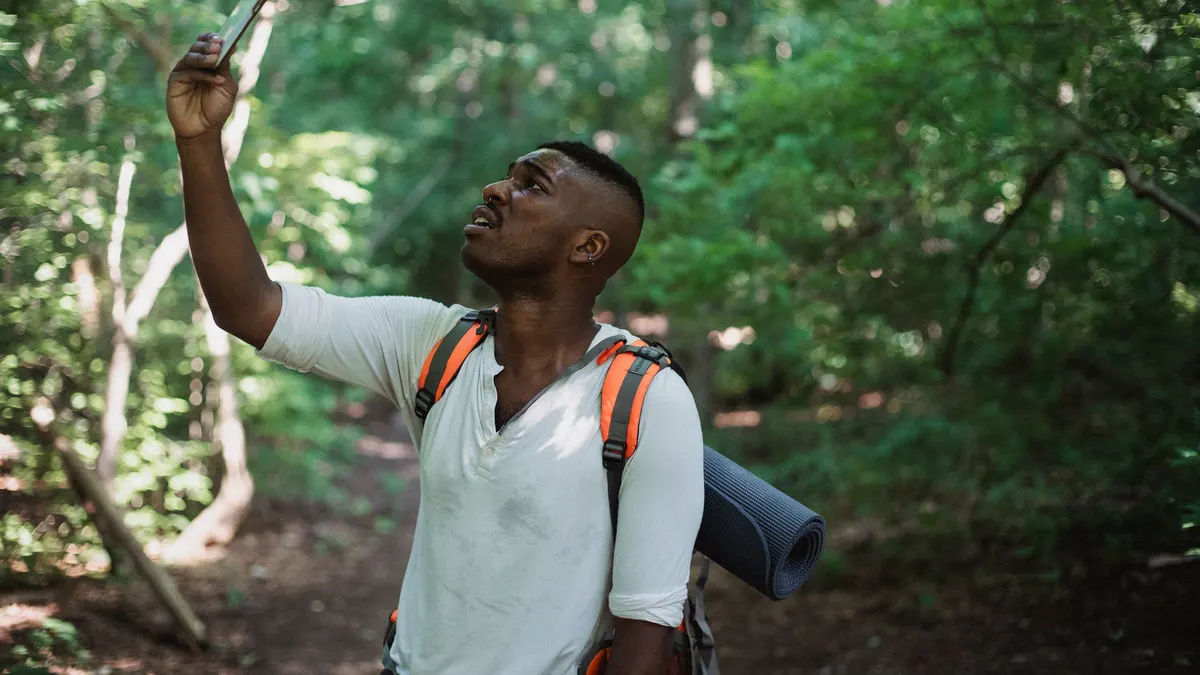
Bars on a phone are a rough guide, and different phones show bars differently. For a clearer picture, many phones can display a numeric signal reading in their settings or field test menus, and free signal apps show the same information. Even so, you do not need to become a radio expert. Simply note your signal readings and speed test results at the places you camp most often. Over a few weeks, you will see a pattern: places where you have weak but usable signal are where a booster helps, while places with no signal at all point toward satellite.
Also, test both download and upload speeds. Upload is often the weaker side in fringe areas, and it is what video calls and file uploads depend on. Because a booster amplifies signal in both directions, it can help uploads too, as long as some signal is present.
RV signal booster antennas: where performance comes from
The outside antenna decides much of a booster’s performance. In general, higher is better, because it clears obstacles such as trees, buildings and the RV itself. In addition, a directional antenna aimed at the nearest tower can reach farther than an omnidirectional one. However, you need to know where the tower is, which you can estimate with a coverage map or a signal app.
Antenna separation also matters. If the outside and inside antennas are too close, the booster can pick up its own rebroadcast signal, which causes feedback. Most boosters detect this and reduce their power automatically, which weakens your results. As a rule, place the antennas as far apart as practical, and keep the outside antenna above the inside one.
How to set up an RV cell signal booster
- Check coverage first. Look at carrier coverage maps and the FCC’s National Broadband Map for your campsite.
- Mount the outside antenna high. Use the roof or a telescoping mast, clear of obstructions.
- Aim it if it is directional. Point it toward the nearest tower for your carrier.
- Place the inside antenna near your devices. Keep phones, hotspots or routers close to it.
- Separate the antennas. Maximize distance between inside and outside antennas to avoid feedback.
- Power it from a stable source. Use the RV’s 12-volt system or the supplied adapter.
- Test and adjust. Run speed tests, move or re-aim the antenna, and test again.
Small changes, such as raising a mast a few feet or turning a directional antenna slightly, can make a noticeable difference. So take a few minutes to experiment at each new campsite.
Installing a cell booster for RV types
Each RV type has its own installation challenges. Below are the main points for each, so you can plan cable runs and antenna locations before you drill any holes.
- Class A motorhomes: the tall roof gives good antenna height. However, long cable runs from the roof to the front living area can lose signal, so place the amplifier close to the antenna when possible.
- Class C motorhomes: the cab-over area is a popular spot for the inside antenna, while the outside antenna goes toward the rear of the roof for separation.
- Travel trailers and fifth wheels: a telescoping mast mounted to the ladder or rear bumper is a common choice. Even so, remember to lower it before towing.
- Camper vans: space is tight, so in-motion kits are popular. Because the inside and outside antennas sit close together, choose a kit designed for vehicles.
- Truck campers: a mount on the truck cab or camper roof works, and a small in-motion kit keeps the setup simple.
In every case, route cables through existing roof penetrations or a sealed cable entry plate, and seal any new holes carefully. Water leaks cause far more expensive damage than a weak signal ever will.
Finding the nearest tower
For a directional antenna, aiming is everything. First, check your carrier’s coverage map to see roughly where service is strongest. Next, use a tower-finding app or website to estimate where nearby towers stand. Then point the antenna in that direction and run a speed test. After that, turn the antenna a little at a time and test again. With practice, this takes only a few minutes at each stop. Note, though, that the closest tower is not always the best one, because hills and trees can block the direct path. So test a few directions before you settle.
Multiple carriers and multiple plans
Most consumer boosters work with all major carriers at once, which is a real advantage for RVers. Many full-time travelers carry plans from two different carriers, because one often covers places the other misses. With a booster, both plans benefit from the same antenna. As a result, you can switch to whichever carrier is stronger at each campsite. Before buying, though, confirm that the booster supports the frequency bands your carriers use, since weBoost notes that its products are engineered for the specific networks and frequencies each product supports.
FCC rules for registering your RV cell booster
Signal boosters transmit on carrier frequencies, so they are regulated. The FCC’s consumer guidance explains that consumer boosters must be registered with your wireless provider, and that you should use a booster certified for consumer use. Booster makers say the same; for example, Wilson Amplifiers reminds buyers to register their booster with their carrier. Most major carriers have an online registration page that takes a few minutes.
In addition, a booster that causes interference must be turned off if the carrier or the FCC asks. Buying a certified booster from a reputable maker and installing it as directed is the best way to avoid problems.
Using a cell phone booster for RV hotspots and routers
A booster helps every compatible device inside the RV, including phones, mobile hotspots and cellular routers. For remote work, many RVers pair a booster with a dedicated cellular router or hotspot placed near the inside antenna. As a result, the router gets the strongest signal and shares it with every laptop over WiFi. Alternatively, some routers connect directly to an outside antenna, which can be another way to improve signal. Our guide to RV WiFi setups explains how routers fit in, and the RV Internet Setup Selector suggests a primary and backup plan for how you travel.
RV cell booster vs Starlink: which do you need?
A cell booster for RV use and satellite internet solve different problems. A booster improves weak cell signal, uses little power and works while driving with in-motion models. Satellite, by contrast, works in places with no cell service at all, but it needs a clear view of the sky and more power. Consequently, many full-time remote workers use both: the booster and cellular plan as one path, and satellite as the other. That way, one outage never stops a workday. Use our Remote-Work Data Usage Calculator to see how much data each path needs to carry.
What to expect from a cell booster for RV trips
- One or two bars, slow data: a booster often helps noticeably.
- Signal that comes and goes: a booster can stabilize the connection.
- Crowded campground with full bars but slow speeds: the tower is congested, and a booster usually will not help.
- No signal at all: a booster cannot help; consider satellite.
- Deep in a canyon or dense forest: results vary, and a raised, aimed antenna gives the best chance.
Caring for your RV signal booster
Booster systems need little maintenance. Even so, check cable connections for corrosion and looseness, especially on the roof. Inspect the outside antenna mount after rough roads or storms. In addition, lower telescoping masts before driving, and never drive with a stationary antenna raised. Finally, keep the amplifier ventilated and away from heat sources.
Planning routes and campsites around signal
A booster works best as part of a broader connectivity plan. Before you book a campsite, check carrier coverage maps and recent reviews from other RVers, who often mention signal quality. In addition, the FCC’s National Broadband Map shows reported mobile coverage by location. For workdays, choose campsites with at least fair signal and save the most remote spots for days off. Likewise, plan travel days so that important calls happen while you are parked in a known good area. Our RV Internet hub collects more tips for planning around coverage.
A simple decision guide
- Do you often have one or two bars where you camp? If yes, a booster is likely to help.
- Do you often have no signal at all? If yes, put satellite first and treat a booster as a secondary tool.
- Do you need signal while driving? If yes, choose an in-motion kit.
- Do you work online full-time? If yes, combine a booster, two carrier plans and a satellite backup.
- Do you mostly stay in town RV parks? If yes, test your phone first; you may not need a booster at all.
Answering these questions honestly will save money. Moreover, it will steer you to the setup that actually fits your travel style rather than the most expensive kit on the shelf.
RV cell signal booster buying checklist
- Confirm you usually camp in fringe areas, not total dead zones.
- Choose in-motion or stationary based on whether you need signal while driving.
- Decide between omnidirectional and directional antennas.
- Check that the booster supports your carriers’ frequency bands.
- Buy an FCC-certified consumer booster and plan to register it.
- Plan antenna mounting and cable routing before you buy.
- Pair it with a router or hotspot for remote work.
To compare current options, you can browse RV cell signal boosters and booster antenna masts on Amazon, then check each model’s carrier support and certification.
Common RV cell booster mistakes
- Expecting signal from nothing. A booster amplifies existing signal only.
- Mounting the antennas too close together. Feedback makes the booster throttle itself.
- Leaving the device far from the inside antenna. The boosted area inside is often small.
- Skipping registration. The FCC requires it.
- Relying on one network for work. Pair cellular with a second connection type.
Used in the right places, an RV cell signal booster is one of the most practical connectivity upgrades you can make. For more connectivity planning, visit our RV Internet hub and the Work From the Road hub.
Frequently asked questions about RV cell signal boosters
Do RV cell signal boosters really work?
They can help when you have weak but usable signal, such as one bar on your phone. Boosters amplify existing signal between the tower and your devices, but they cannot create service where no signal reaches the outside antenna.
Can a cell booster work with no signal?
No. A booster needs some signal at the outside antenna to amplify. If there is no signal at all, consider satellite internet instead.
Do I need to register my cell booster?
Yes. The FCC requires consumer signal boosters to be registered with your wireless provider, and booster makers such as Wilson Amplifiers remind buyers to register with their carrier. Most carriers offer an online registration page.
Should I get a cell booster or Starlink for my RV?
It depends on where you camp. A booster helps in fringe cell areas, while satellite works where there is no cell service but needs clear sky. Many remote workers use both for redundancy.
Where should I mount the outside antenna on an RV?
As high as practical and as far as possible from the inside antenna. Separation helps prevent feedback, which can make the booster reduce its own power.
Sources and how we researched this guide
This guide is research-based. We did not test the boosters mentioned. Regulatory points come from the Federal Communications Commission’s consumer guidance on signal boosters and manufacturer information, including Wilson Amplifiers’ registration guidance. Results vary widely with location, carrier and installation. Found something out of date? Tell us and we will check it against the source.
- FCC: signal boosters consumer guide
- Wilson Amplifiers: cell signal boosters and carrier registration
- weBoost: booster registration
- FCC: National Broadband Map
Keep planning
- Full-Time RV Living: A Complete Guide to Planning, Costs and Life on the Road
- RV WiFi Guide: Campground WiFi, Extenders, Hotspots and Mobile Routers Explained
- eSIM for Travel: How Travel eSIMs Work for RV Trips to Canada, Mexico and Beyond
- Starlink for RV: Plans, Power Draw, and Setup for Life on the Road
Go deeper: Work From the Road hub · Mobile Office Checklist · Remote-Work Data Usage Calculator

Written by Jeremy Jarvis
Jeremy Jarvis is the founder and editor of Freedom Road Living, where he builds research-based guides and free planning tools for people who live, work and travel in an RV. He sets the site's editorial standards, checks every guide against official sources such as the National Park Service and manufacturer documentation, and is responsible for corrections. Jeremy also founded Eco Nomad Travel, Mind Clarity Hub, SilkHarborTravel and WanderOza Travel, and he is the author of books on clarity, focus and practical AI, including The Power of Clarity and Digital Clarity.